Empower Your Tables, Anywhere You Need.
Create, design, and embed tables seamlessly with table-generator.com. Effortlessly design your tables online using our graphical editor, then export them in a range of formats for flexible use.
Get Started Now
Powerful Features, Simplified Workflow
Unlock the potential of your tables with our intuitive editor and versatile export options.
Craft Tables with Ease
Build tables effortlessly in our intuitive editor, or paste your data straight from Excel, Google Sheets or a CSV file. No coding skills required.
Versatile Export Options
Export your tables in various formats: Web Components, PNG, SVG, PDF, CSV, and Markdown.
Seamless Integration
Embed your tables into websites with ease. Perfect for tools like Webflow, WordPress and more.
Instant Access
Start creating tables instantly with no need for an account. Hassle-free and efficient.
Our Blog
Insights and Tutorials
Explore our blog for the latest news, updates, and tutorials, enhancing your table-generator.com experience.

Responsive HTML Tables: How to Make Tables That Work on Mobile
Learn how to build a responsive HTML table that works on mobile: horizontal scrolling, stacked card layouts, sticky headers and hidden columns, with plain CSS and Tailwind CSS examples.
Read more about Responsive HTML Tables: How to Make Tables That Work on Mobile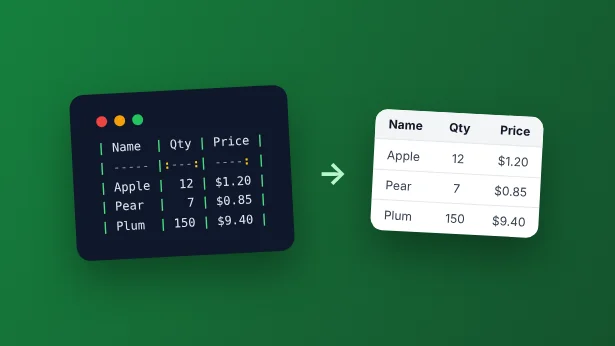
Markdown Table Syntax: The Complete Guide (with Examples and a Generator)
Learn Markdown table syntax with copyable examples: pipes, alignment, formatting inside cells, GitHub vs. GitLab vs. Notion, limitations, and a free Markdown table generator.
Read more about Markdown Table Syntax: The Complete Guide (with Examples and a Generator)
How to Add a Table in WordPress (3 Easy Ways, No Plugin Needed)
Learn how to add a table in WordPress without a plugin: use the built-in Table block, weigh up table plugins, or embed a styled table that keeps its look in any theme.
Read more about How to Add a Table in WordPress (3 Easy Ways, No Plugin Needed)FAQ
Got Questions?
We've Got Answers.
Explore our FAQs for instant answers to common questions about table-generator.com.
Is an account required to use table-generator.com?
No, table-generator.com is completely free, and you can start creating tables without the need for an account.
What export formats are supported?
table-generator.com supports a variety of formats including Web Components, PNG, SVG, PDF, CSV, and Markdown.
Can I embed tables into my website using table-generator.com?
Absolutely! Our tool provides seamless integration, allowing you to embed tables into websites effortlessly.
Is the editor user-friendly for beginners?
Yes, our drag-and-drop editor is designed to be intuitive, making table creation accessible to users of all skill levels.